Overview
Punchey allows you to create and send financing applications through Klarna directly from the platform. This helps you provide customers with flexible payment options alongside their service estimates.
This guide walks you through how to create and send a Klarna financing application.
Steps to Create a Financing Application
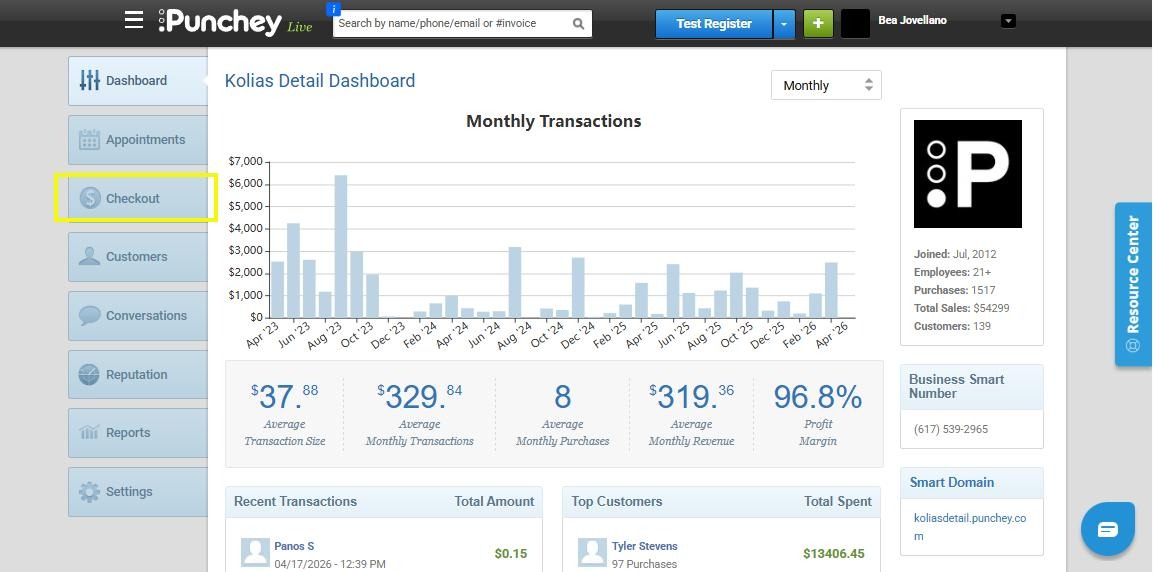
1. Go to the Checkout Section
From your Punchey dashboard, click Checkout to begin the process.
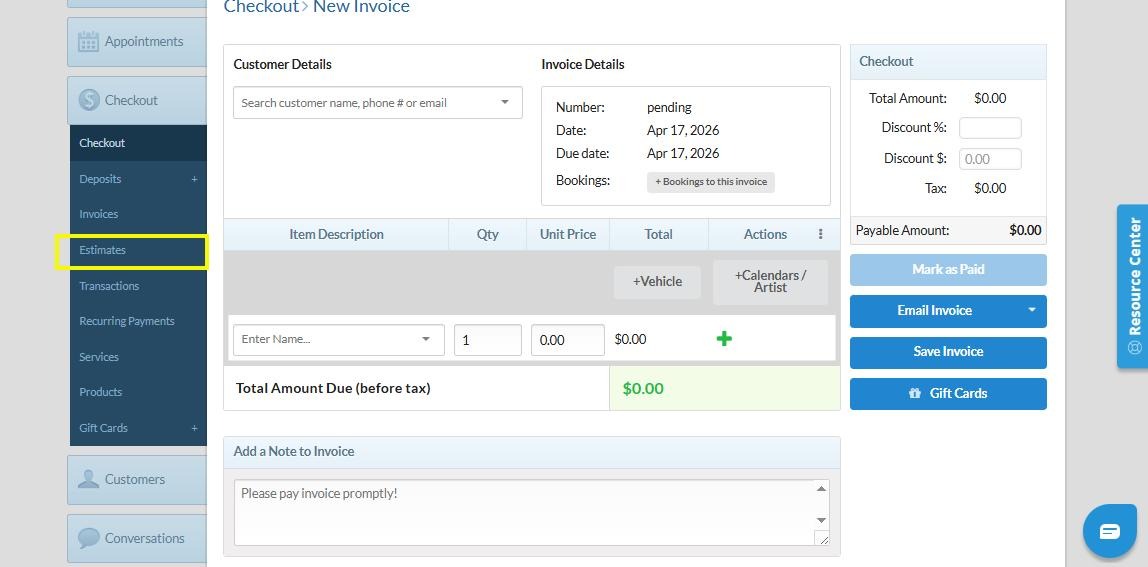
2. Open the Estimates Tab
Select the Estimates tab to create a new one.
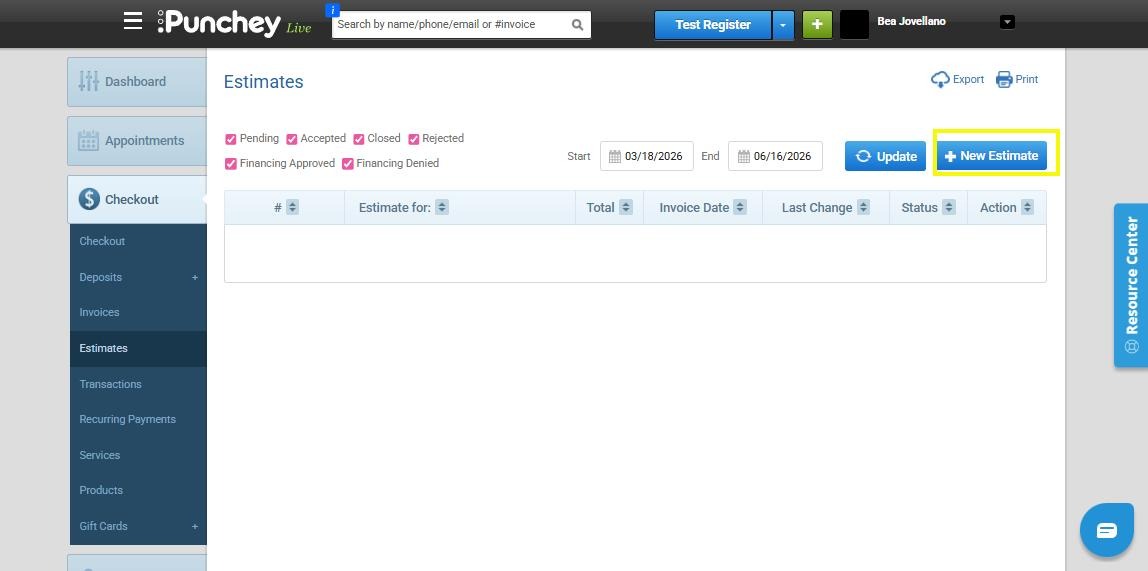
3. Create a New Estimate
Click New Estimate to start a financing application.
4. Search for the Customer
Click the search field labeled “Search customer name, phone # or email”
Enter the customer’s name
Select the correct customer from the results (phone number or profile)
Ensure the customer profile has a correct and working phone number, as this is required for the financing application
5. Add Estimate Details
Click the “Enter Name…” field
Enter a name or description for the estimate (this is where you select the service)
6. Enter the Estimate Amount
Click the amount field
Input the total amount for the estimate
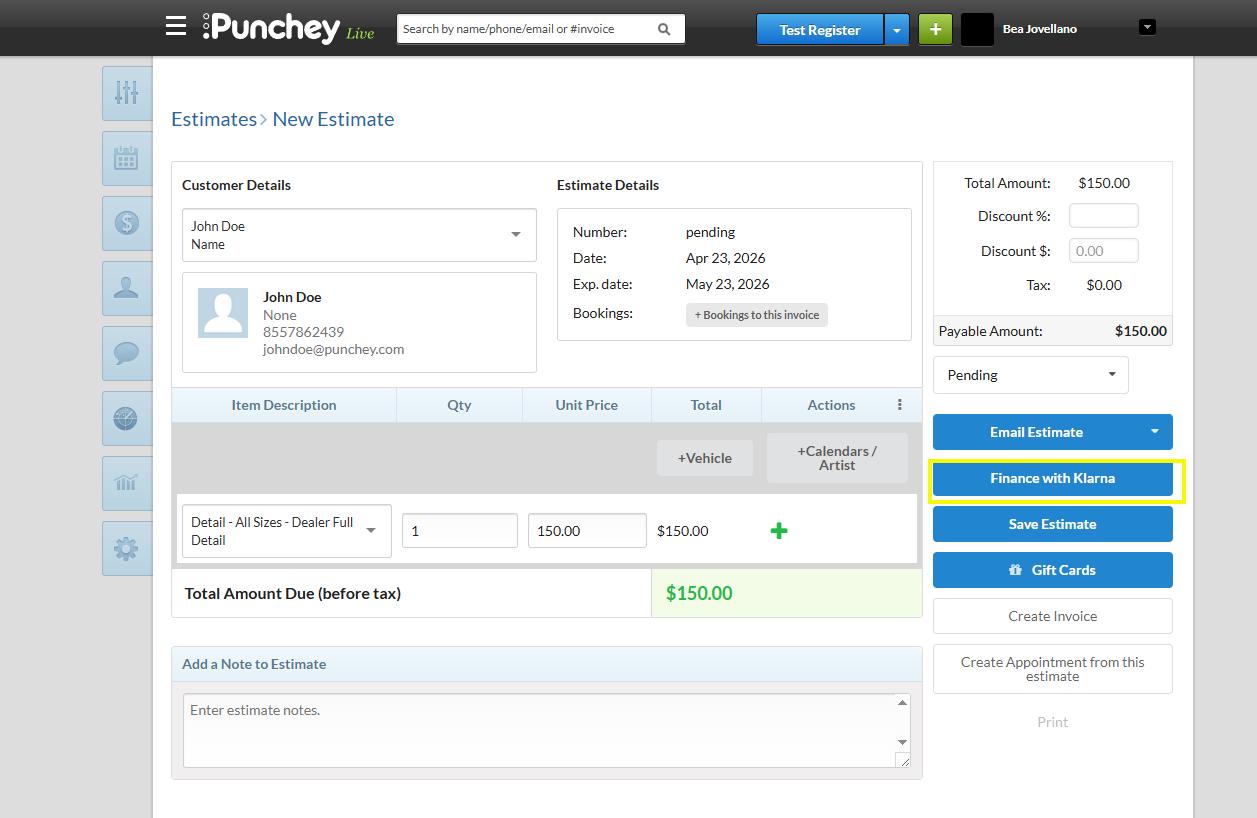
7. Apply Klarna Financing
Select Finance with Klarna to enable financing for the estimate
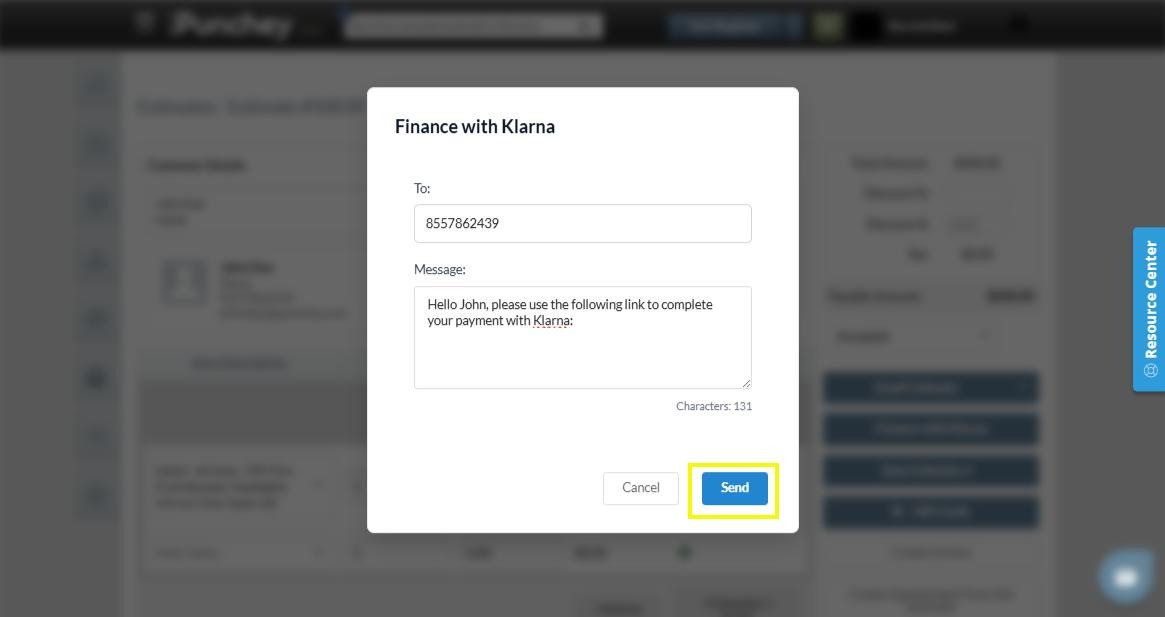
8. Send the Financing Application
- Click Send to submit the financing estimate to the customer
Financing Status
After submitting a financing application, you may see one of the following statuses:
Financing Approved
The customer’s financing application was approved by Klarna.
The customer will receive a notification confirming their approval. Once approved:
- Go to the Estimates tab
- Select the approved estimate
- Click Convert to Client Credit
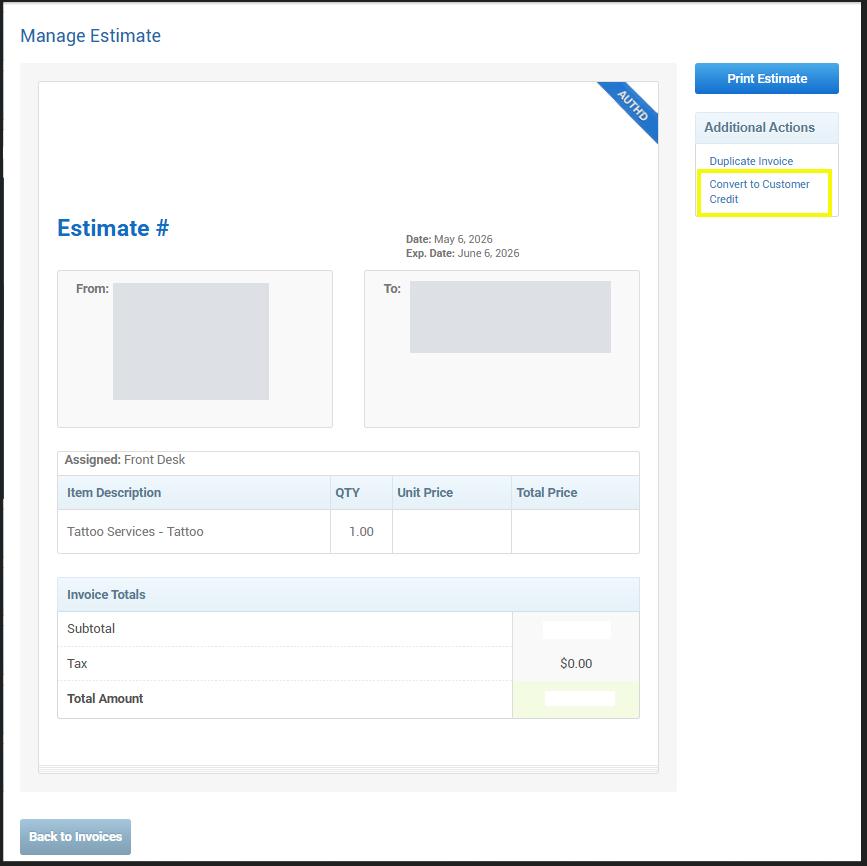
After converting the financing into client credit:
- The Klarna payment can be verified in the Transactions tab

- The transaction status will appear as Klarna Captured
- The customer’s available credit can then be used during checkout
Financing Denied
The customer’s financing application was not approved by Klarna.
Klarna determines approvals based on their internal review process, and financing will not be available for that transaction.
Review Submitted Estimates
Return to the Estimates tab anytime to track and manage sent financing applications.
Important Notes
Make sure the correct customer is selected before sending the estimate
The customer profile must have a valid and working phone number
Double-check the service details and amount to ensure accuracy
Customers will receive the financing application once it is sent
Approved financing must be converted into client credit before it can be used during checkout
Need Help?
If you need assistance creating or sending a Klarna financing application, please contact our support team. We’re here to help.
Was this article helpful?
That’s Great!
Thank you for your feedback
Sorry! We couldn't be helpful
Thank you for your feedback
Feedback sent
We appreciate your effort and will try to fix the article