Setting Up a Recurring Payment Plan
First, locate your customer’s profile under Contacts.
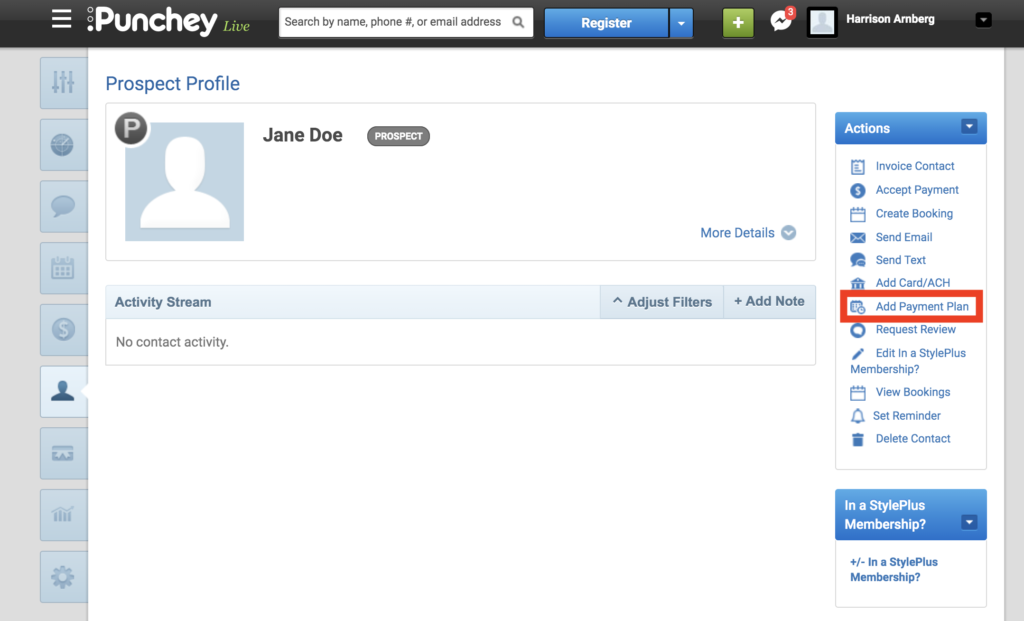
On your action tab, select “Add Payment Plan.”
You’ll then be directed to the next screen, where you can input your customer’s payment information:
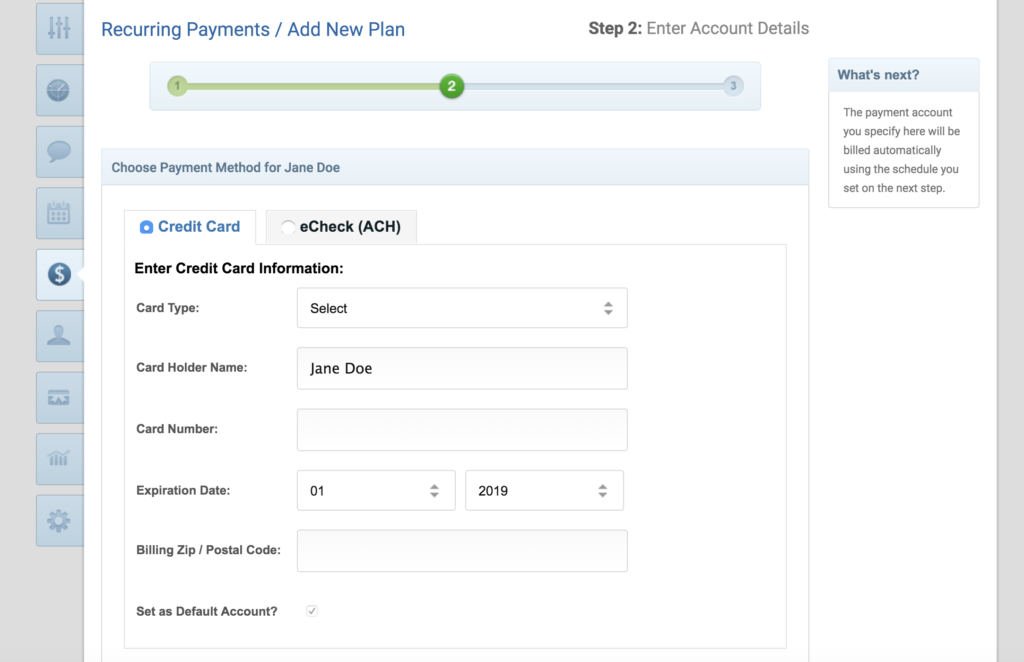
Click “Next Step” on the bottom of your screen when you are finished.
Lastly, input whichever details you need for your payment plan in the according fields.
Want to learn more? Check out our YouTube Channel for helpful content and read more of our how-to guides!
Was this article helpful?
That’s Great!
Thank you for your feedback
Sorry! We couldn't be helpful
Thank you for your feedback
Feedback sent
We appreciate your effort and will try to fix the article