Overview
Once you have the Gift Card Manager and Smart Domain configured you will have the option to sell physical or digital gift cards online!
Steps:
First, go to “Settings” and locate “Software Setup.”
Now, locate “Domain & Messaging Tools”.
Next, select “Spring Board Domain.”
Verify your Smart Domain settings, if you haven’t completed this yet, Configure your Smart Domain first.
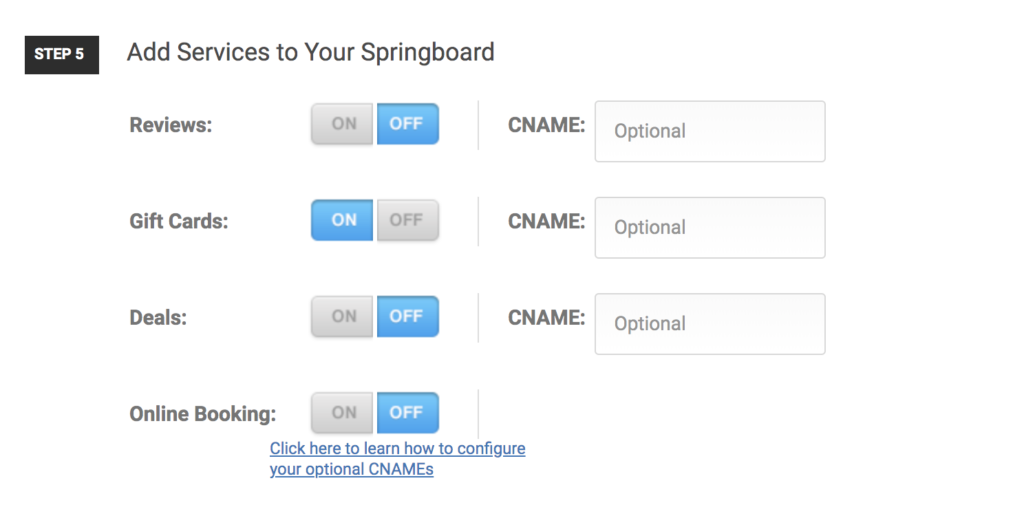
Scroll down to Step 5 to personalize your available modules and add gift cards.
Hit save, and check out the link provided to see your gifts cards available to sell!
Want to learn more? Check out our YouTube Channel for helpful content and read more of our how-to guides!
Was this article helpful?
That’s Great!
Thank you for your feedback
Sorry! We couldn't be helpful
Thank you for your feedback
Feedback sent
We appreciate your effort and will try to fix the article