Learn how to utilize our software to add gift cards to your website!
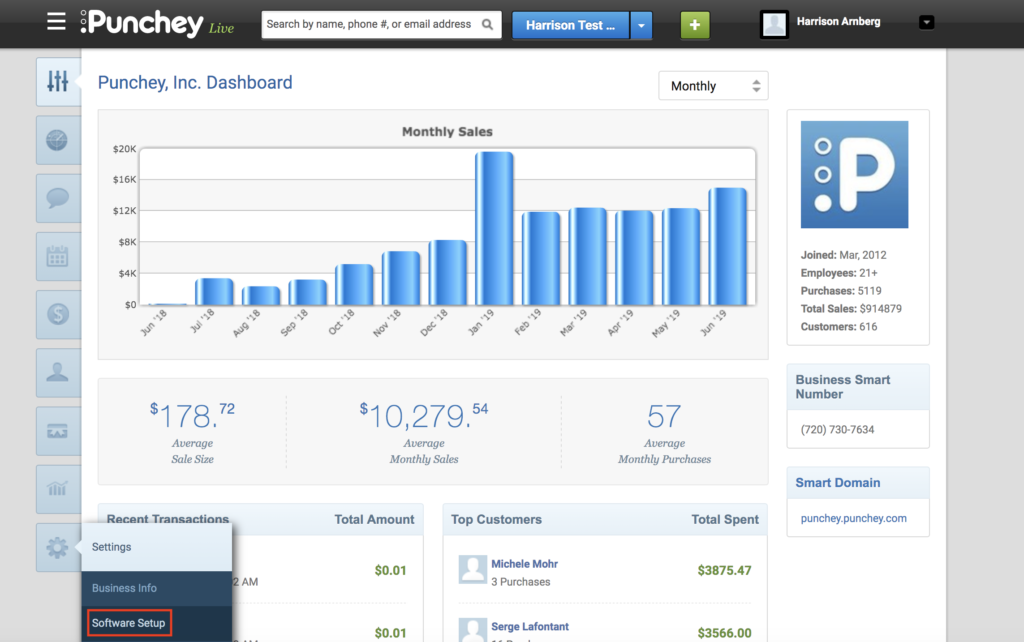
First, go to “Settings” and locate “Software Setup.”
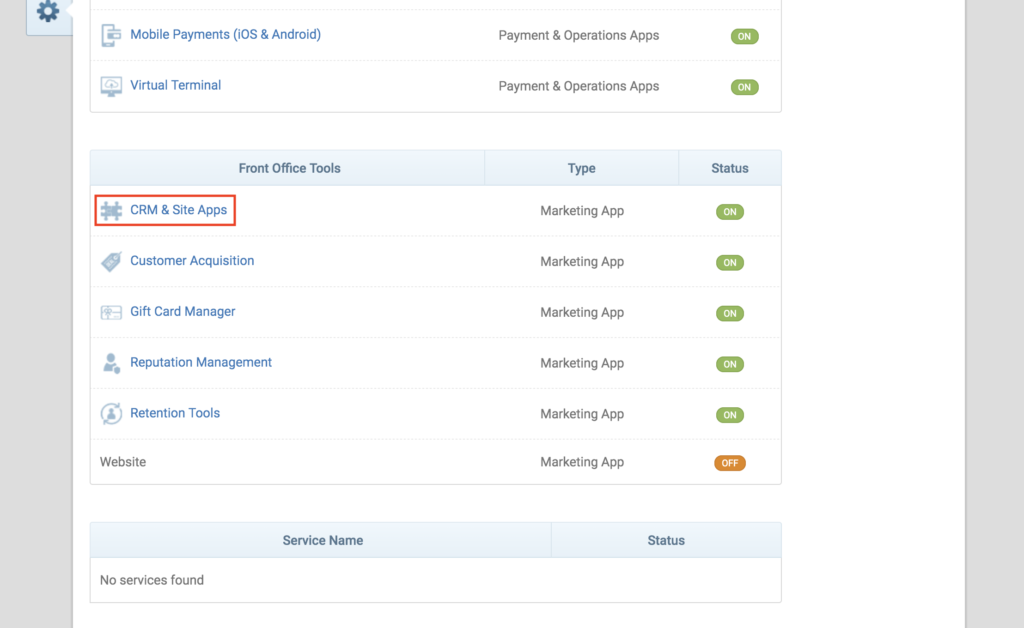
Now, locate “CRM & Site Apps” towards the middle of the tab.
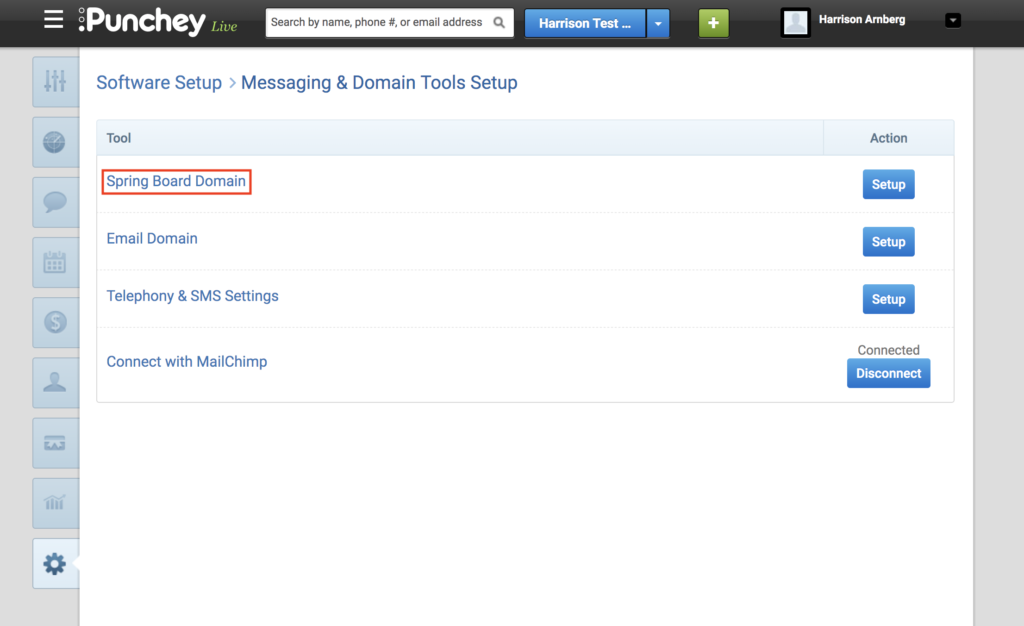
Next, select “Spring Board Domain.”
You’ll now be brought to this page. For more general information, check out our overview on adding widgets to your website.
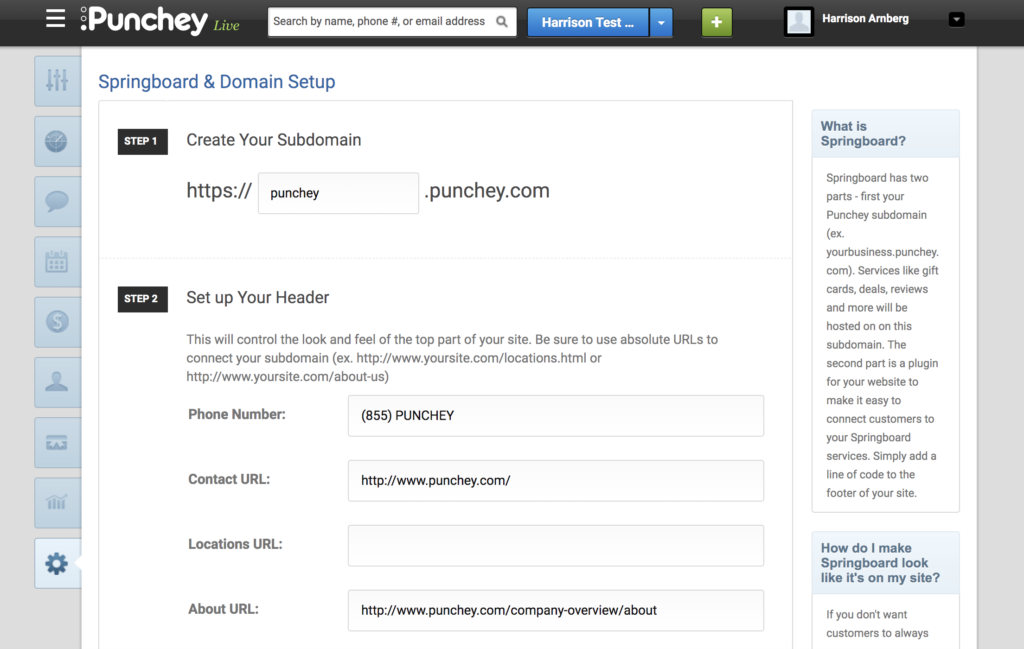
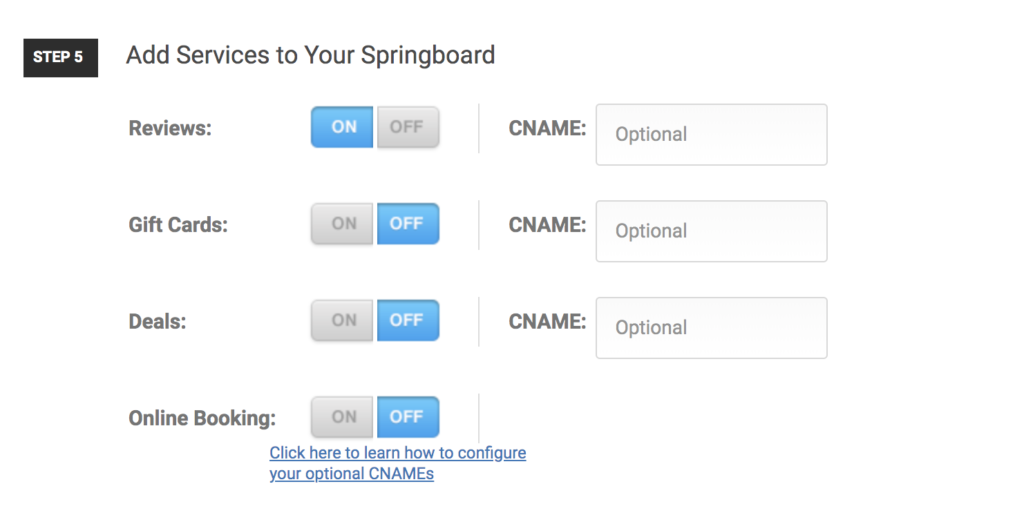
Scroll down to Step 5 to personalize your widgets and reviews.
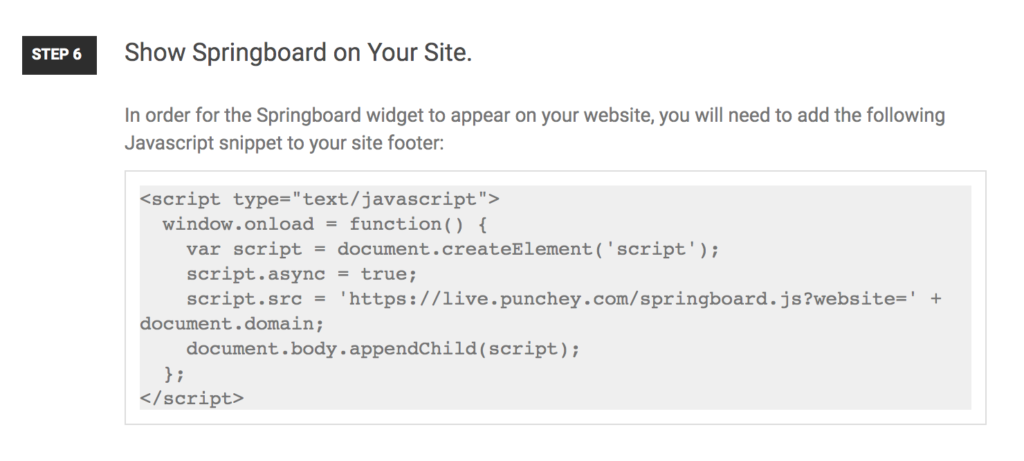
Lastly, copy the code from Step 6 into your website.
Want to learn more? Check out our YouTube Channel for helpful content and read more of our how-to guides!
Was this article helpful?
That’s Great!
Thank you for your feedback
Sorry! We couldn't be helpful
Thank you for your feedback
Feedback sent
We appreciate your effort and will try to fix the article