Learn how to connect reviews to your website!
Reviews are connected through Spring Board widgets, which you can learn to set up here.
After you’ve completed this, it’s time to connect your social media accounts to your Punchey software.
First, locate “Reputation” and select “Reputation Management.”
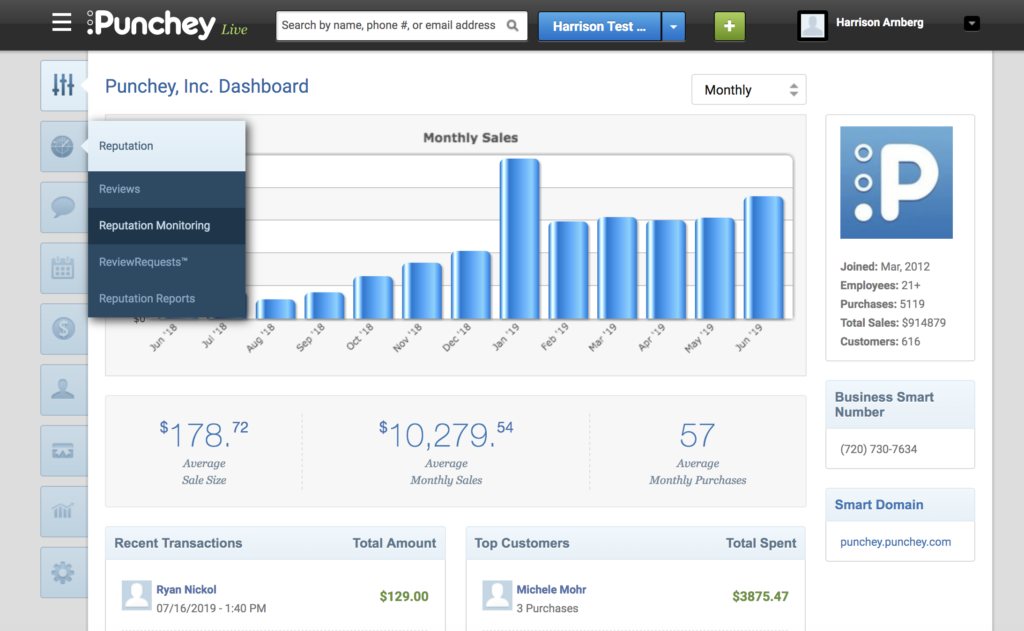
That will bring up this screen:
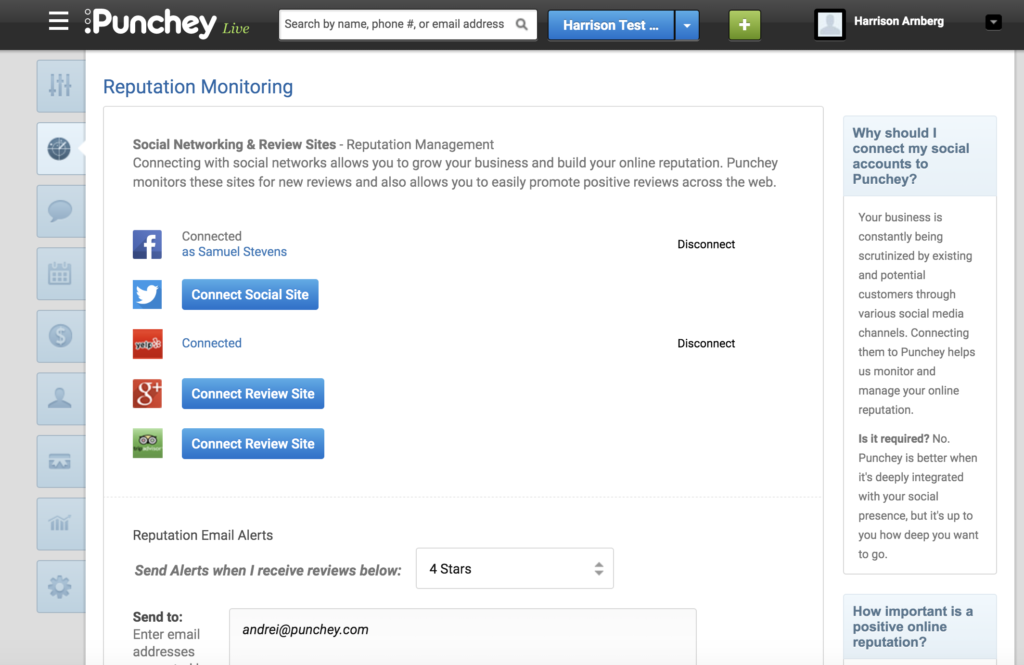
Here, you will see the icons of the five social media accounts we can link to populate your Spring Board Domain.
Just click the blue “Connect” button and follow any prompted instructions.
Finally, hit “Save Settings” on the bottom of the screen.
Want to learn more? Make sure to subscribe to our YouTube Channel, read about how to add online booking to your website, and look at our other how-to guides!
Was this article helpful?
That’s Great!
Thank you for your feedback
Sorry! We couldn't be helpful
Thank you for your feedback
Feedback sent
We appreciate your effort and will try to fix the article