If you are using Punchey Merchant Services, funds from credit and debit card transactions are deposited into your business bank account based on your funding schedule.
If you need to add or update your deposit bank details, our Support team can help. You may contact us via chat, email, or phone, and we will provide you with a secure link where you can update your bank information.
Steps to Add or Edit Your Bank Information
Open the secure link provided by the Support team.
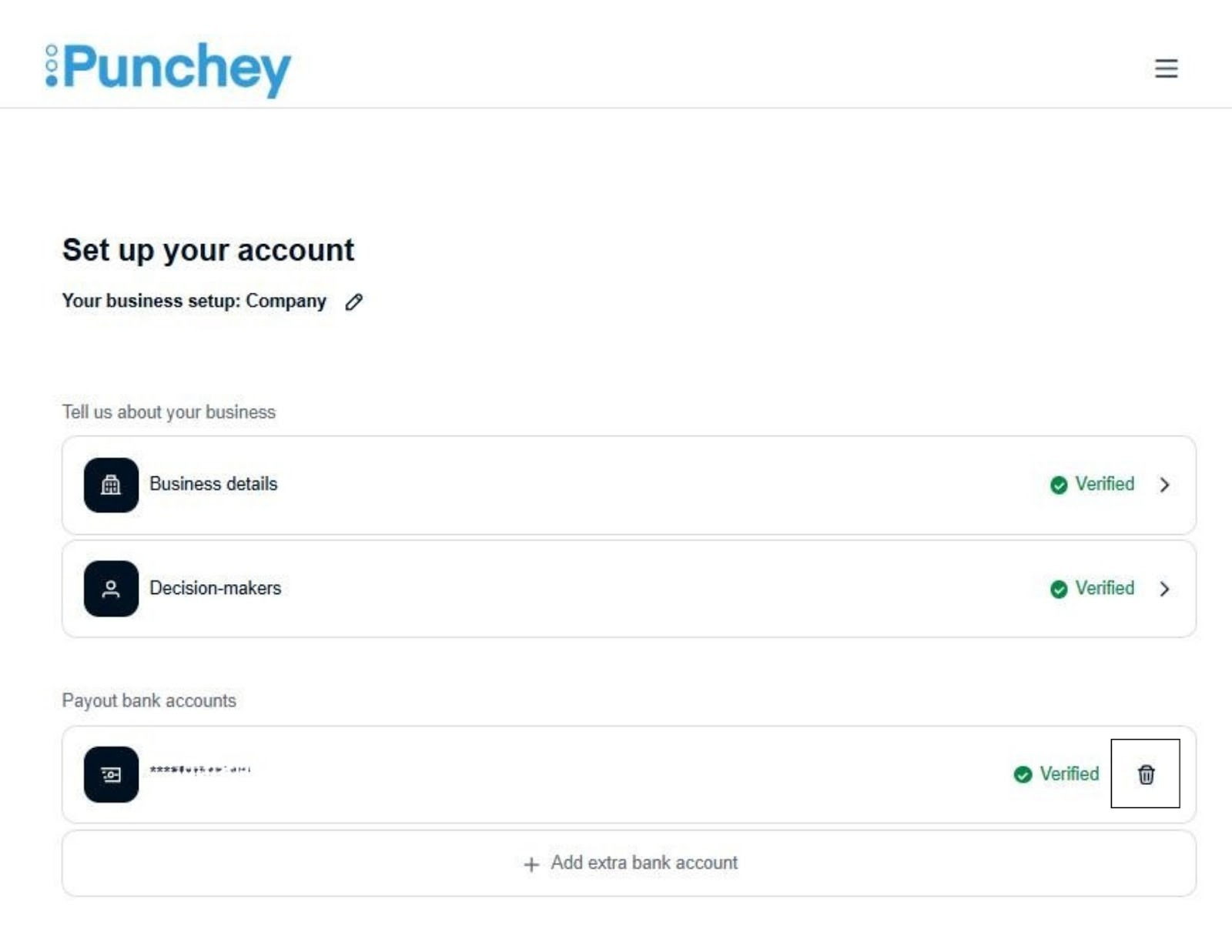
Under Payout Bank Accounts, select + Add extra bank account.

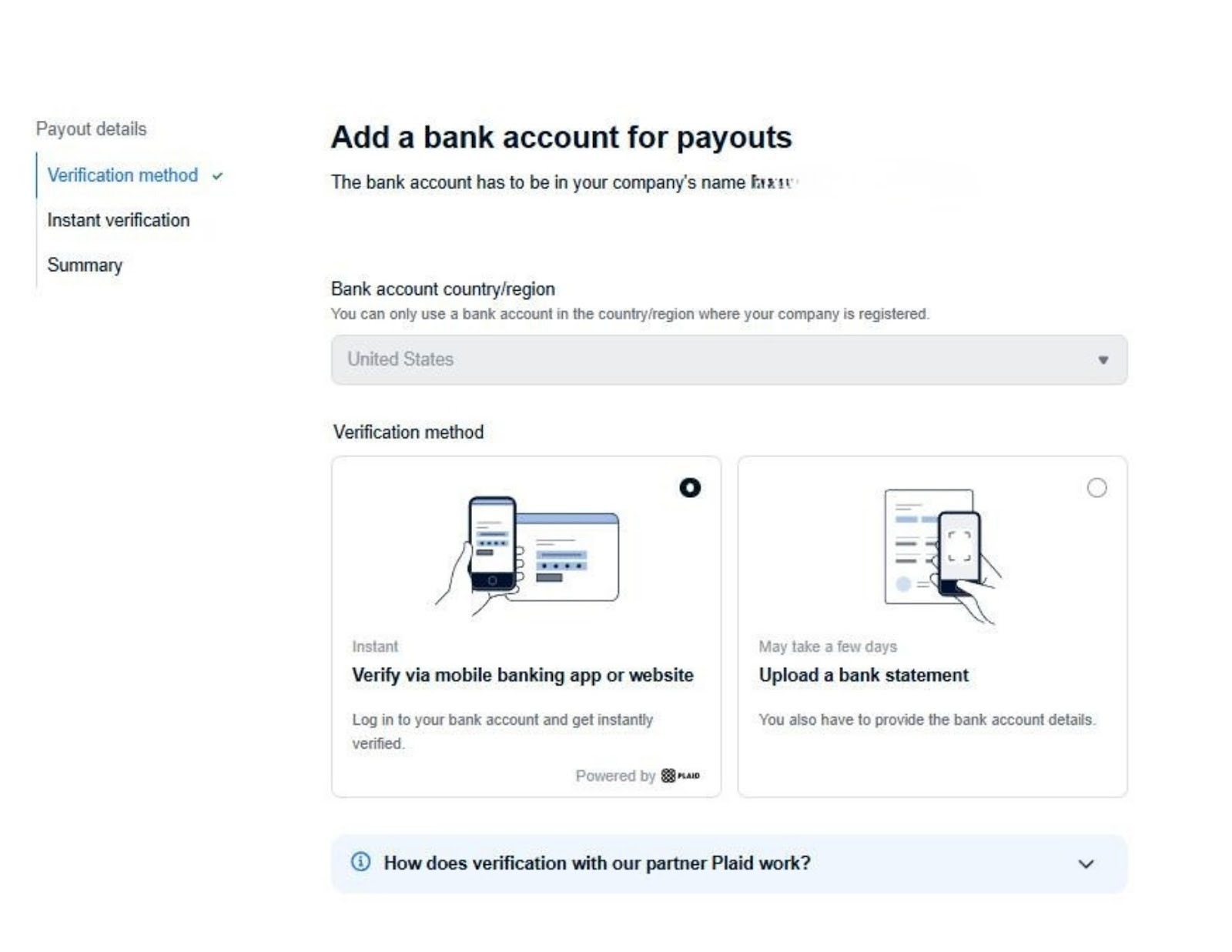
You will be directed to a page where you can choose one of the following options:
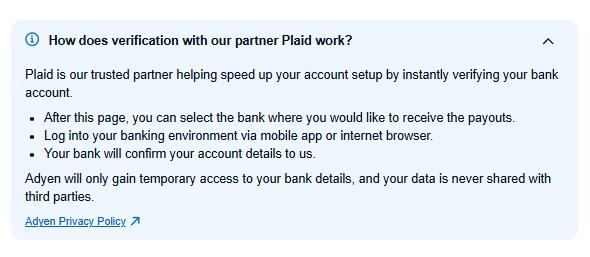
Verify using your mobile banking app through Plaid
Manually enter your bank details and upload a bank statement
After submitting your information, our team will review and verify the new bank account.
If you manually enter your bank details, verification may take 1 to 5 business days.
You can check the verification status at any time using the same secure link.
Once verified, you will see “Verified” displayed next to the last four digits of your bank account.
Note:
To avoid system issues or payout delays, please delete your old bank account only after the new bank account has been successfully verified.
Want to learn more? Check out our YouTube Channel for helpful content and read more of our how-to guides!
Was this article helpful?
That’s Great!
Thank you for your feedback
Sorry! We couldn't be helpful
Thank you for your feedback
Feedback sent
We appreciate your effort and will try to fix the article