The Account Receivables ledger shows all the relevant information for your customer for Accounting and Billing purposes. We provide this data in 4 different ways. See how to get this data into other useable formats below.
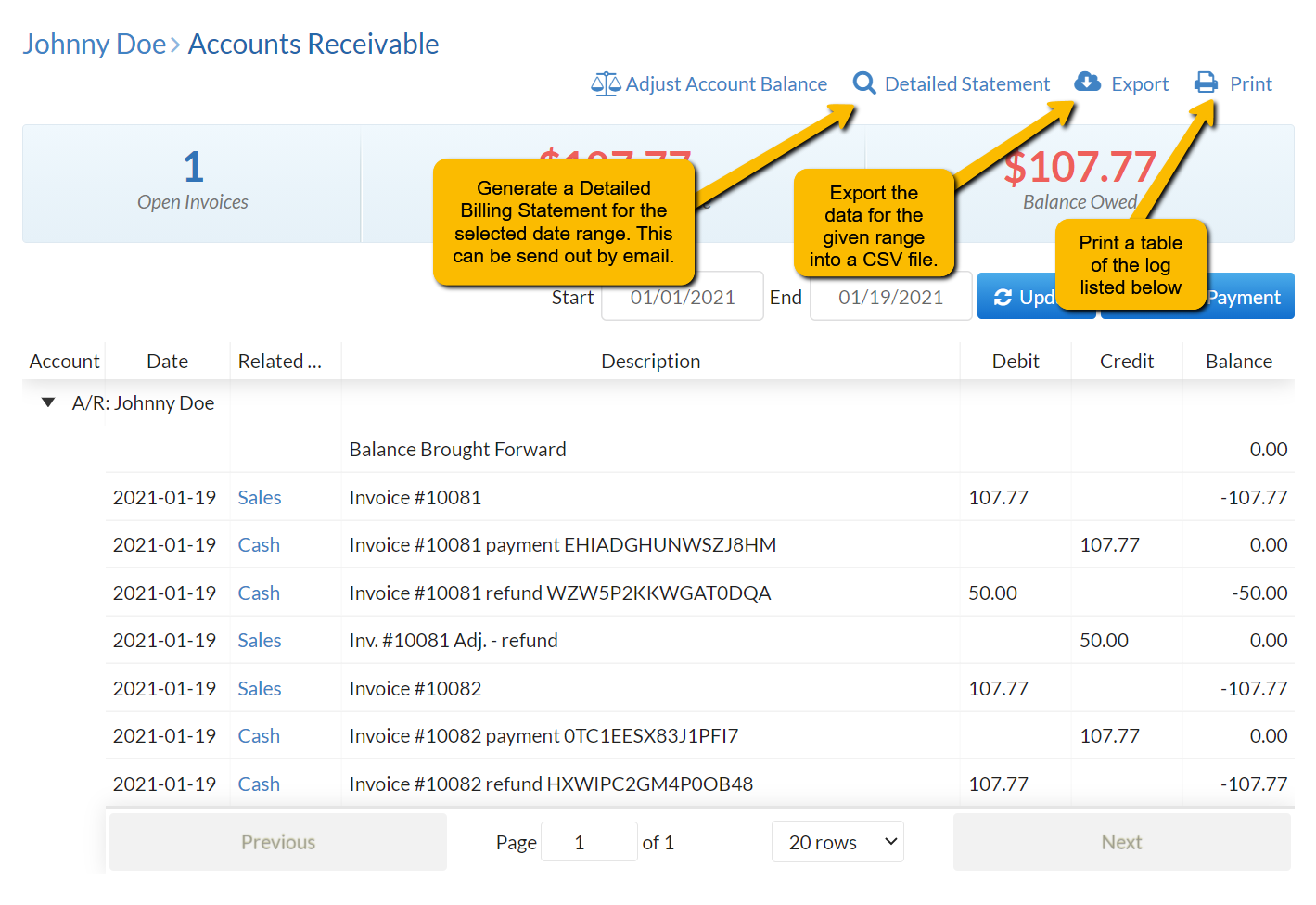
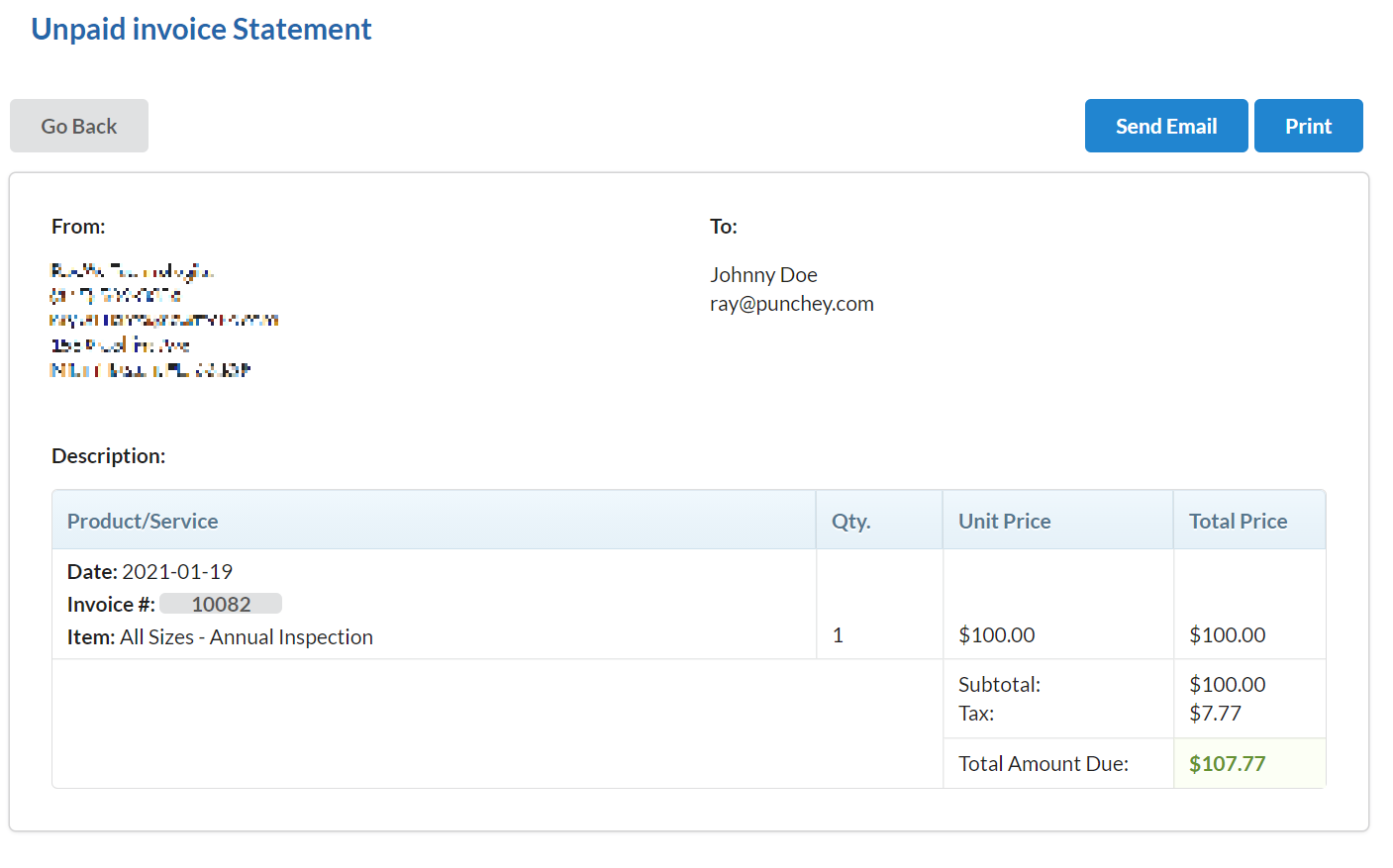
Detailed Statement – This creates a detailed view listing all unpaid invoices in the given range. This view will show the invoice, as well as any associated assets or bookings with the services rendered. This can be emailed or printed.
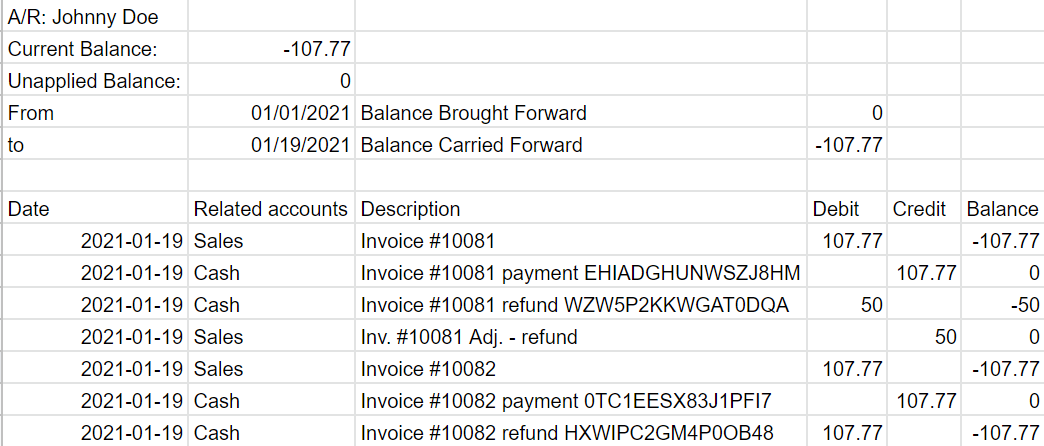
Export – This will provide the data in an easy to reference CSV file that can be opened as a spreadsheet
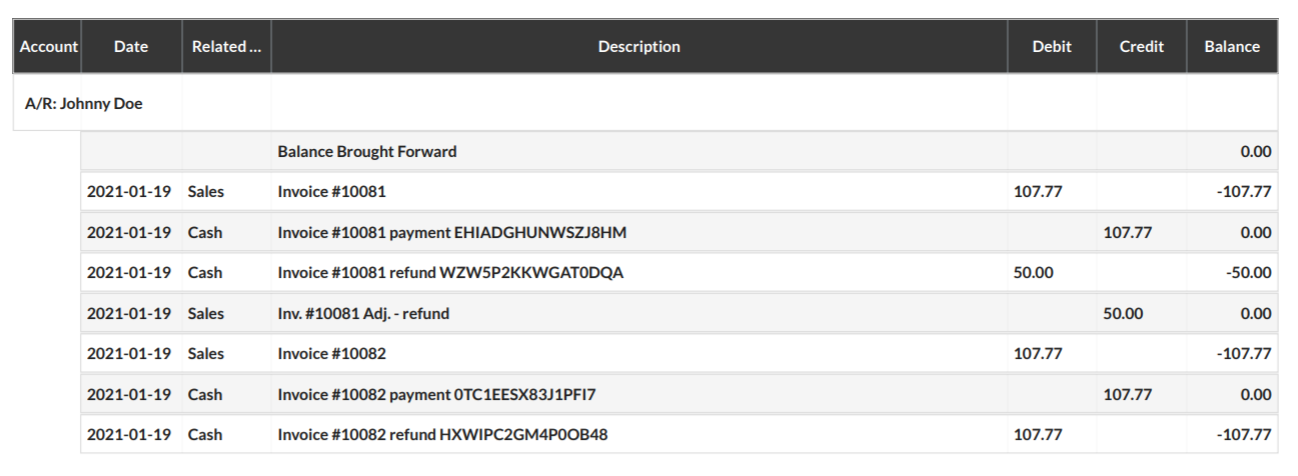
Print – This will format the ledger into an easy to read table to print. You can also print this as a PDF and email it.
Want to learn more? Check out our YouTube Channel for helpful content and read more of our how-to guides!
Was this article helpful?
That’s Great!
Thank you for your feedback
Sorry! We couldn't be helpful
Thank you for your feedback
Feedback sent
We appreciate your effort and will try to fix the article