Learn how to configure and setup your Springboard subdomain to connect Punchey with your business website!
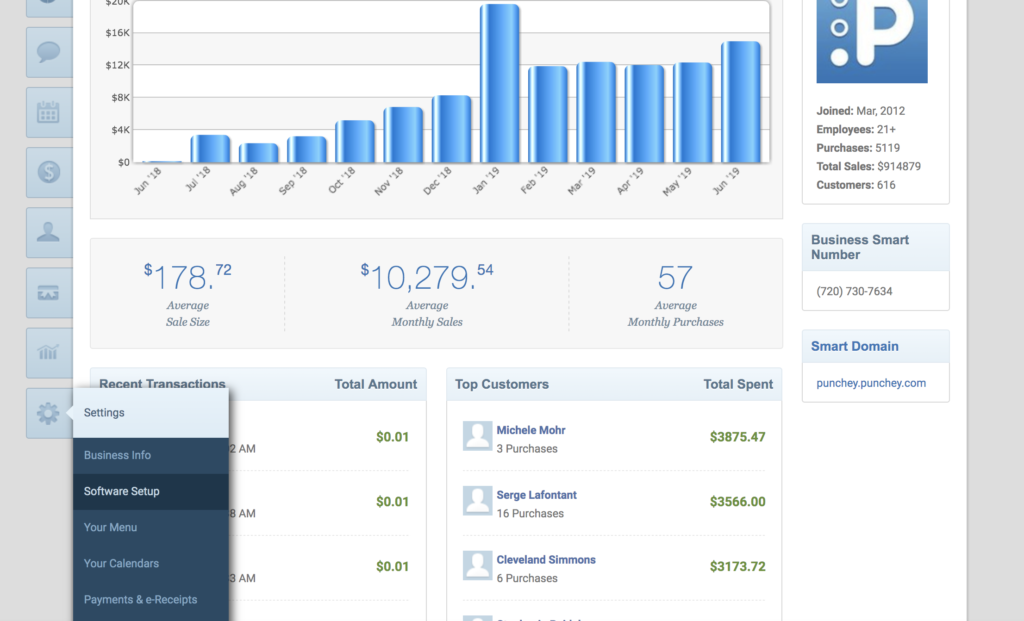
First, go to “Software Setup” under the “Settings” tab.
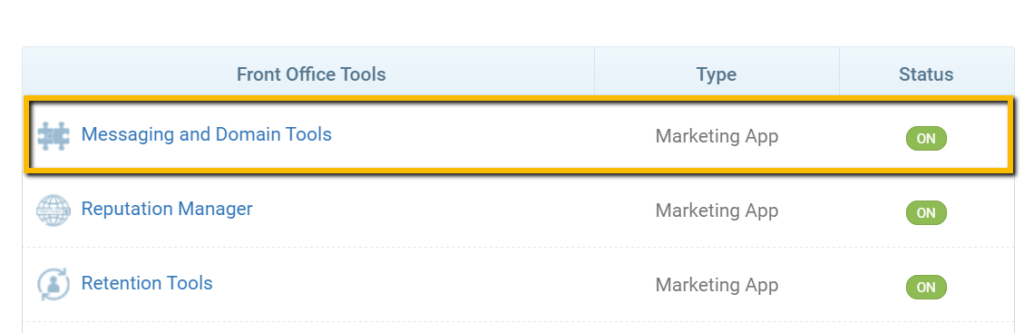
Next, click on “Messaging and Domain Tools.”
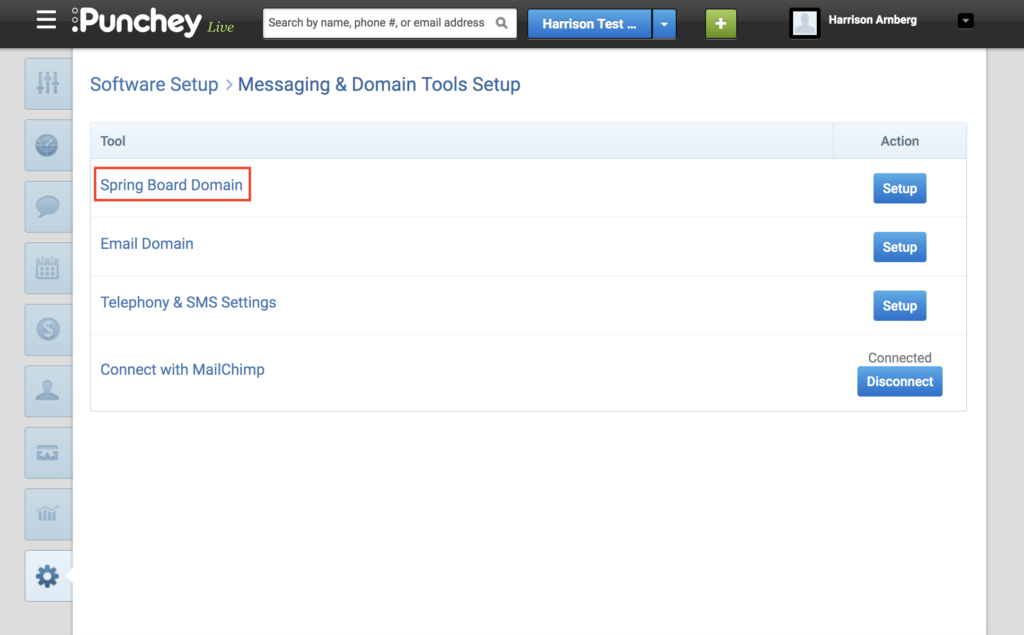
That should bring up this screen, where you should select “Spring Board Domain.”
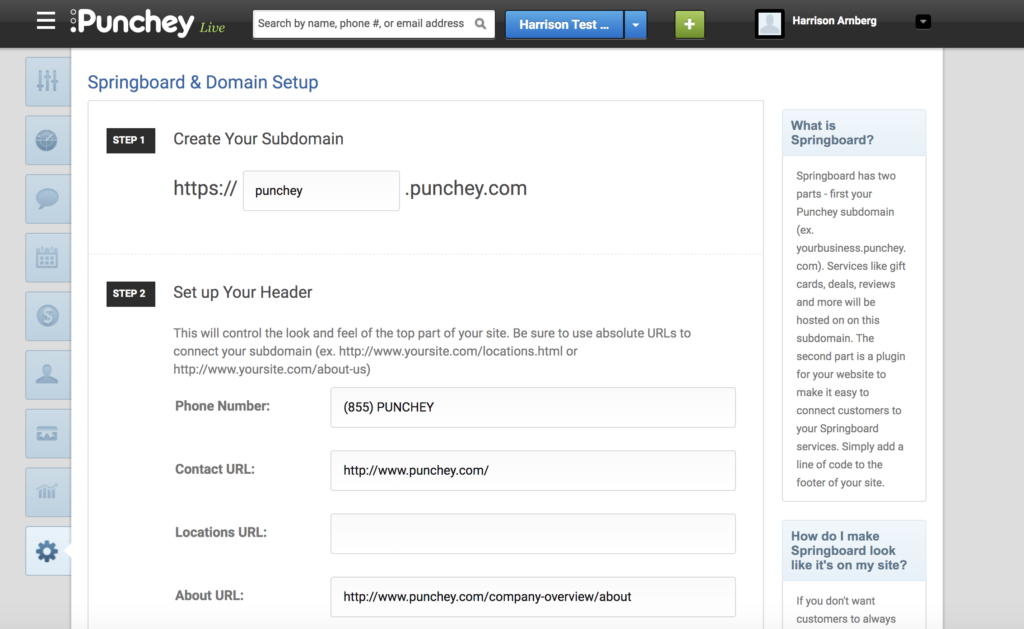
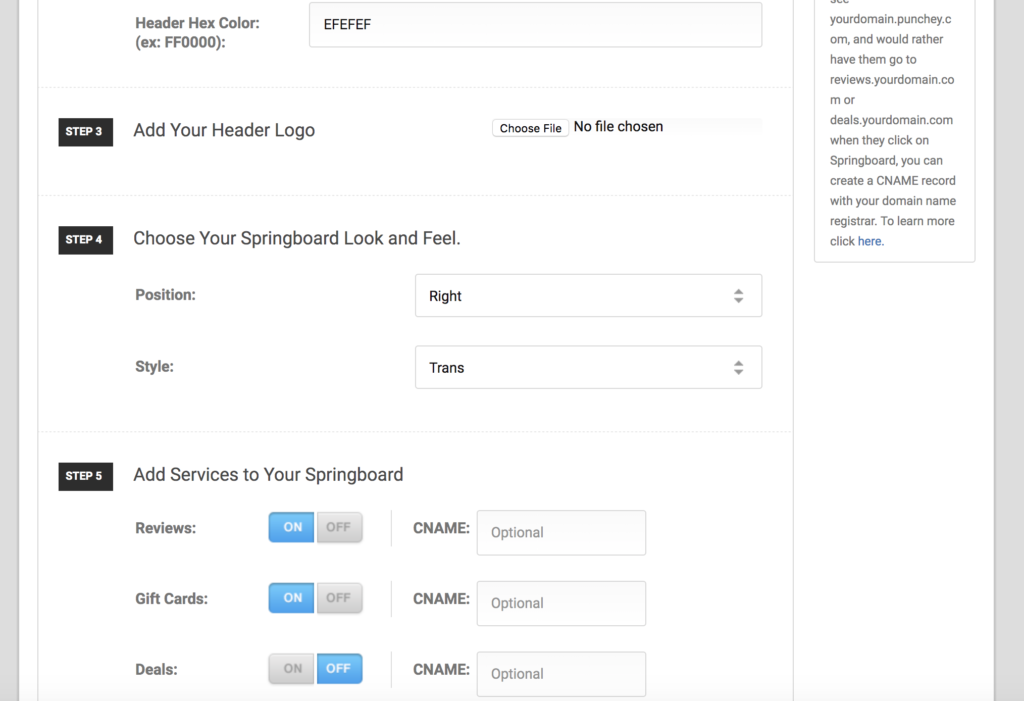
From here, fill out the corresponding information.
- Add your phone number (we recommend your Smart Number)
- Fill in your listed URL links (we suggest it be the same as your website)
- Add a hex color code
- Upload your logo
- Personalize your features
Once you hit save, you will get the final link to your new Spring Board!
For more general information on adding buttons on your direct website, check out our overview on installing custom widgets to your website.
Want to learn more? Make sure to check out our YouTube Channel, read about how to add online booking to your website, and look at our other how-to guides!
Was this article helpful?
That’s Great!
Thank you for your feedback
Sorry! We couldn't be helpful
Thank you for your feedback
Feedback sent
We appreciate your effort and will try to fix the article