Setup your Smart Number
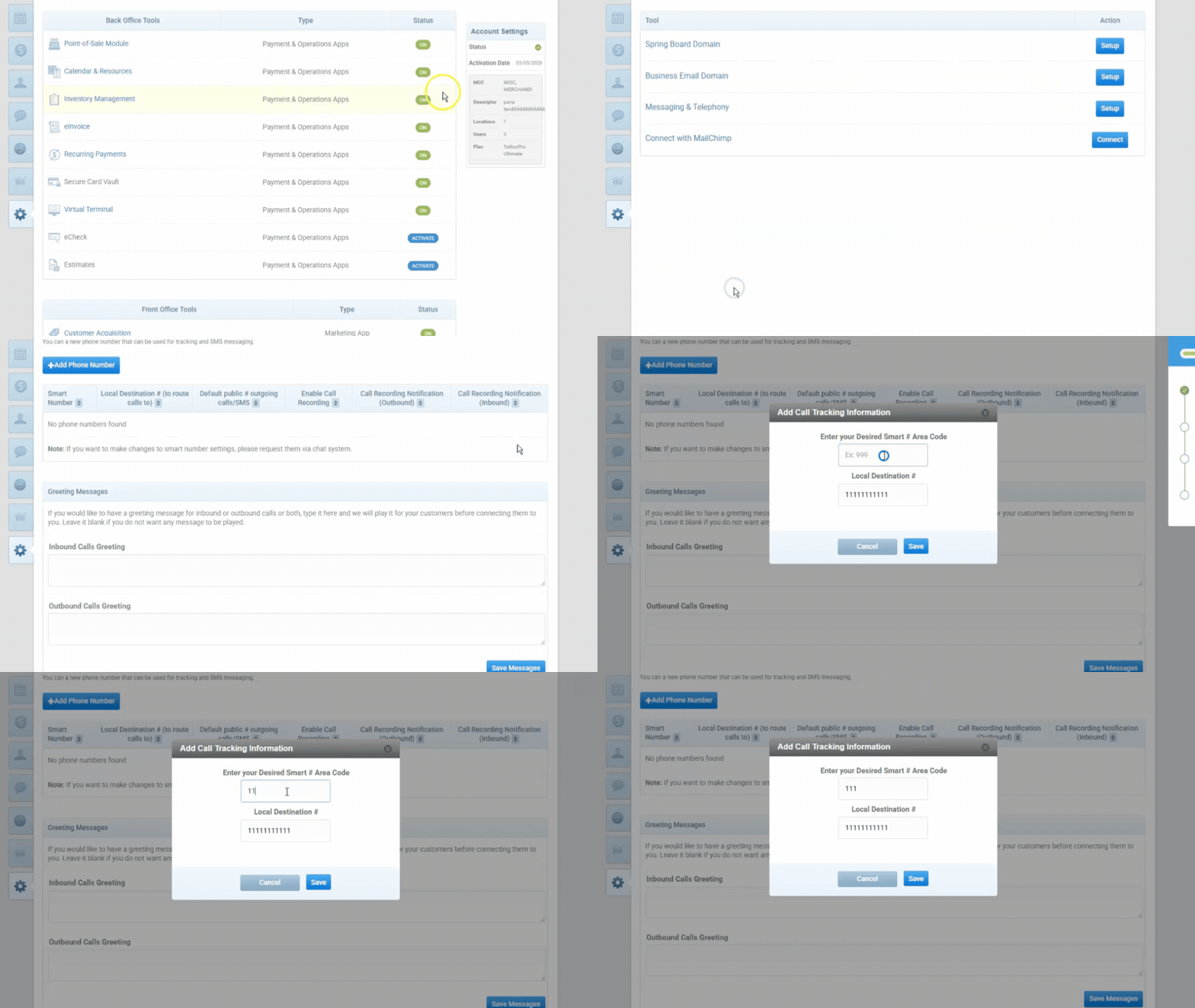
- Navigate to the Settings tab.
- Clicking the settings tab will navigate you to the software setup page, if it has not select software setup in the dropdown menu.
- In the second box from the top you should find Messaging and Domain Tools, select it.
- Now select Messaging & Telephony.
- You now should be on the smart number generation page, click "+ Add Phone Number"
- Enter in your desired area code for the number that will be generated. If your local number looks incorrect please contact an account manager.
- Now your Smart Number should be set up for you. The Smart Number should now display on your Dashboard.
Click here to learn more about Automatic Reminders and Review Requests.
Was this article helpful?
That’s Great!
Thank you for your feedback
Sorry! We couldn't be helpful
Thank you for your feedback
Feedback sent
We appreciate your effort and will try to fix the article